LinkedIn publishing that learns your voice from the drafts you approve and reject. · View lab →
LinWheel
Be seen. Be heard. Be elsewhere.
LinkedIn for founders who'd rather be founding. Your agent drafts in your voice, you approve, and it posts, all without leaving your terminal.
Demo
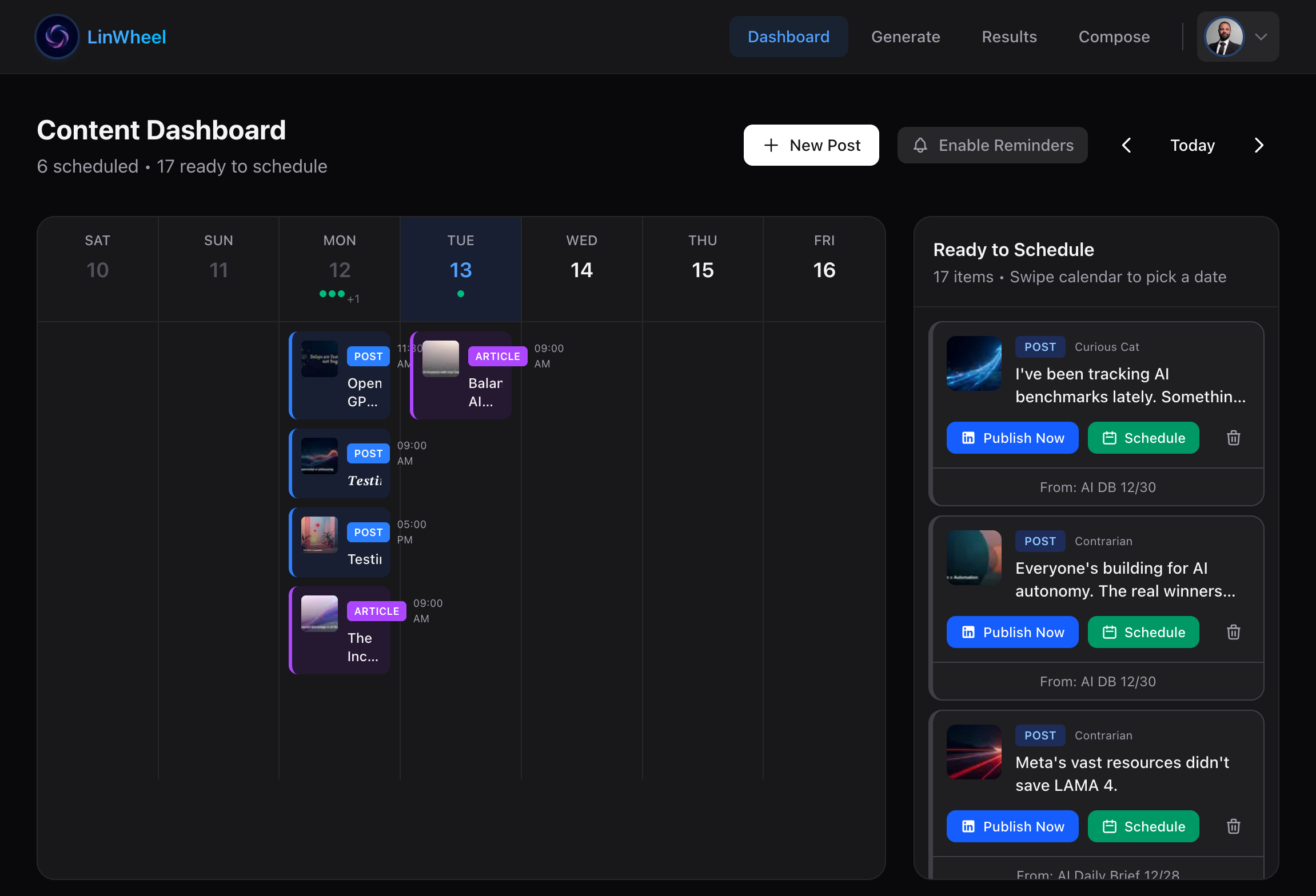
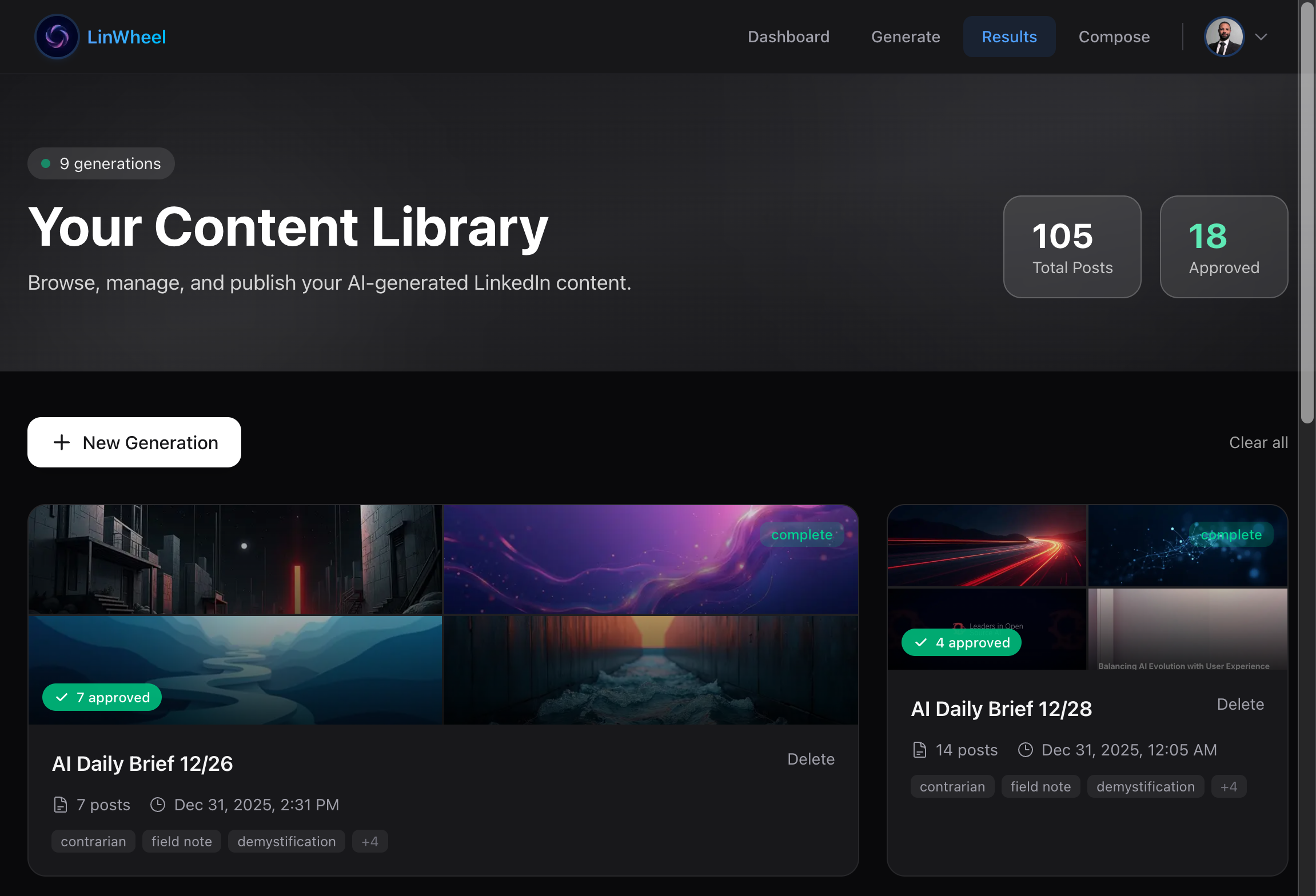
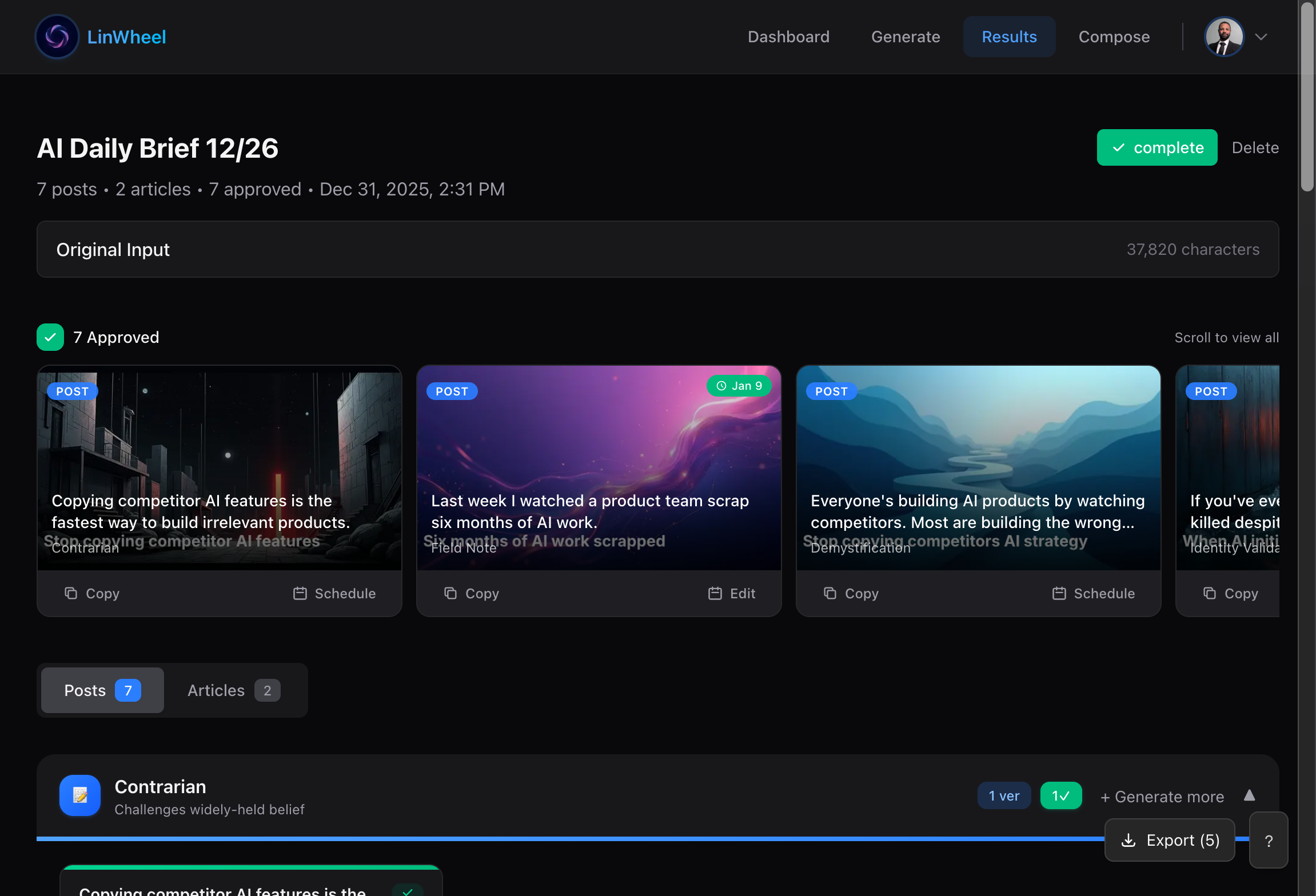
The full workflow in Claude Code
Results
Learns
Voice that improves
Approve and reject signals feed adaptive voice learning, so drafts move closer to how you actually write instead of staying frozen behind a tone dropdown.
0
LinkedIn sessions per week
The agent logs in and posts so you don't have to. You stay in your terminal, where it is safe.
Any
MCP client
Claude Code, Cursor, OpenClaw, Windsurf. If it speaks MCP, LinWheel works inside it.
You know you should post on LinkedIn. You haven't in weeks. Maybe months. The activation energy is absurd: open the site, stare at the text box, write something that doesn't make you cringe, give up, close the tab.
You're not lazy. You shipped three features this week. You just can't make yourself perform on a platform that feels like a high school popularity contest.
LinWheel makes that fine. It is an MCP server that turns the work you already did into LinkedIn-native content, without making you open LinkedIn. You install one npm package, point your agent at it, and the agent gets tools for reshaping a raw idea through seven content angles, generating branded cover images, and scheduling the result. All of it happens inside whatever environment you already use: Claude Code, Cursor, OpenClaw.
You never leave your terminal. The better you get at your actual work, the more your agent has to write about. Your craft is the input; a social presence is the output.
Our Agents (Actually) Learn to Speak
Voice profiles are the part that is actually novel. You create a named profile and the agent learns to match it from the drafts you approve and the ones you reject. After a few runs through the loop, the output stops reading like three LLMs in a trench coat and starts reading like a draft you would actually pen.
Even after it converges, nothing publishes without you. post_approve has to succeed before post_schedule will run. A hallucinated post goes to your professional network with your name on it, and you cannot quietly roll that back, so the human-in-the-loop is structural rather than a toggle you can switch off.
Slides from Scratch
Document posts on LinkedIn see significantly more engagement than text or image posts, so LinWheel generates the cover images and carousel slides to match: your logo positioned and scaled to spec, your brand colors applied consistently.
None of it touches an image model. There are no external image API calls and no per-image costs. Cover images and carousel slides render locally with Satori and resvg-wasm: branded gradient backgrounds with typographic overlays. The output is deterministic, so two images rendered a month apart for the same brand style look like they came from the same designer.
For Engineers
Architecture

LinWheel speaks MCP over stdio. The agent decides how to traverse the tool pipeline; there is no enforced workflow. The only hard gate is post_approve before post_schedule.
The learning layer runs on qortex. Approve or reject a draft and the signal travels over REST to qortex, which updates a per-user posterior over which content angles work for that voice. Feedback never leaks between accounts.
This wiring between LinWheel and qortex is real but early, and still experimental: the loop runs end to end, but it has not yet earned the convergence guarantees a mature system would claim.
What Was Hard
LinWheel itself was a fairly easy build. The hard part lived underneath it: turning a single-machine learning engine into something multiple users could share.
qortex started as a local library, a knowledge graph with Thompson Sampling baked in, running inside one process for one local agent. Sharing it across users meant extracting it into a distributed backend with a real API, Postgres-backed storage, and isolation between consumers. That migration broke assumptions about single-process state at nearly every layer.
The wiring works today, but it is early, and the open problem is cold start under sparse feedback. Most posts get approved, so the posterior skews positive and the rejection signal that actually sharpens voice-matched output arrives slowly. New profiles with fewer than about twenty reference posts produce noticeably generic drafts, and no amount of prompt engineering removes that cold-start period; the bandit needs data. We are adding richer feedback, partial edits rather than just approve or reject, because that should speed convergence.
Stack
Demo